Guest Communication Best Practices for Property Managers
Discover essential guest communication best practices for property managers. Improve satisfaction, boost reviews, and resolve issues efficiently.

Guest Communication Best Practices for Property Managers
The most effective guest communication strategy is a small set of timely, personalized messages tied to the guest journey and backed by fast response SLAs. Get that right, and you’ll see fewer inbound questions, higher review scores, and issues resolved before checkout rather than in a one-star public post.
Here’s the core checklist to act on immediately:
- Pre-arrival (24–48 hours out): Send arrival instructions, access codes, and a messaging opt-in via email or SMS.
- Room-ready / check-in alert: Trigger from housekeeping status, not a fixed clock time.
- Mid-stay check-in (night 2 or 24 hours in): A single-question prompt to surface issues while you can still fix them.
- In-stay issue capture: QR code in-room or in-app prompt tied to a fast escalation workflow.
- Checkout / review request: Send within 30 minutes of confirmed departure, not 24 hours later.
- Maximum 5 touches per stay: Event-triggered messaging keeps engagement high and opt-outs low.
The payoff is concrete: fewer lobby complaints, faster issue recovery, and review scores that reflect the experience you actually delivered.
Table of Contents
- Why great guest communication changes your business outcomes
- Core messaging principles every guest-facing message should follow
- Common guest communication mistakes and how to avoid them
- Which channel should you use for each guest moment?
- How to use technology and automation without sounding robotic
- Ready-to-use templates for key guest moments
- Event-triggered feedback: timing, length, and capture methods
- Response time benchmarks and a simple escalation protocol
- Training tips that build consistent guest service
- Metrics to track and how to use them
- Your 30-day implementation checklist
- Legal and privacy considerations in guest communication
- Key Takeaways
- The case for automation that still feels human
- Realtevoos puts these practices into production for you
- Sources and further reading
Why great guest communication changes your business outcomes
Poor communication doesn’t just annoy guests. It costs you money. A guest who can’t find the check-in code calls the front desk, ties up staff, and often leaves a review about the confusion rather than the property itself. Multiply that across a portfolio and you’re looking at real operational drag.
Strong communication directly lifts three business metrics:
- Review scores: Guests who feel heard and informed rate higher, even when minor issues occur.
- Upsell conversion: Personalized, timely messages placed at the right journey stage convert ancillary offers at meaningfully higher rates than generic blasts.
- Operational efficiency: Pre-arrival messages that answer the top five guest questions cut inbound calls and lobby congestion before the guest even arrives.
The guest experience journey has distinct stages, and each one is an opportunity to either build trust or lose it. Hotels and short-term rental operators who map messages to those stages consistently outperform those who rely on a single post-booking confirmation and a checkout email.

Core messaging principles every guest-facing message should follow
Every template, automated or live, should pass four tests before it goes out.

One key item per message. If your pre-arrival message covers access codes, parking, Wi-Fi, pool hours, and a restaurant recommendation, guests will miss the access code. Pick the one thing that matters most at that moment and say it clearly.
Personalize with PMS data. Use dynamic tags to pull in the guest’s name, arrival time, room or unit number, and any noted special requests. A message that opens with “Hi Sarah, your suite at Oceanview 4B is ready” lands differently than “Dear Guest, your room is available.” Without language detection and automatic translation, you risk leaving a significant share of international guest conversations unanswered.
Match channel to moment. SMS for time-sensitive alerts. Email for detailed pre-arrival instructions. In-app or messaging platforms for mid-stay requests. Phone or in-person for emotionally charged complaints. The channel itself signals urgency and formality.
Set expectations in the message. Tell guests when they’ll hear back. “We’ll respond within 30 minutes” reduces follow-up messages and frustration, especially for guests in unfamiliar time zones.
Get opt-in at booking. Privacy compliance starts before the first message. Capture SMS and messaging consent at the reservation stage, not after arrival.
Pro Tip: Add one sentence of operator voice to every automated template. Something like “The team at Maple House loves a good breakfast rec — ask us anytime” makes an automated message feel like it came from a person, not a scheduler.
Common guest communication mistakes and how to avoid them
Most communication failures aren’t about bad intentions. They’re about bad defaults.
- Over-messaging: Sending seven messages across a two-night stay trains guests to ignore you. Cap touches at five per stay and make each one earn its place.
- Channel sprawl: Managing Airbnb, Vrbo, WhatsApp, SMS, and email in separate tabs means reservation context gets lost and response times suffer. Centralize into a unified inbox tied to your PMS.
- Robotic templates: “Dear Valued Guest” is not personalization. Use conditional logic so messages adapt to arrival time, stay length, and booking source.
- Calendar-based triggers: Sending a check-in message at 3:00 PM regardless of whether the room is ready creates friction. Tie triggers to PMS events, not the clock.
- Privacy slip-ups: Never share a guest’s full name, payment details, or room number over an unsecured channel. Use your PMS messaging layer or a compliant platform.
Automation fits routine messages well. But emotionally charged or sensitive issues — a billing dispute, a noise complaint, a safety concern — should always route to a phone call or in-person conversation. Text lacks the tone and empathy those moments require.
The fix for most of these is the same: fewer messages, better triggers, and a clear escalation path for anything that needs a human voice.
Which channel should you use for each guest moment?
Channel choice is one of the most underrated decisions in guest communication. The right message on the wrong channel gets ignored or creates anxiety.
| Moment | SMS | Phone | In-App / Messaging | In-Person | |
|---|---|---|---|---|---|
| Pre-arrival instructions | ✓ Primary | ✓ Backup | — | ✓ If app available | — |
| Room-ready alert | — | ✓ Primary | — | ✓ Primary | — |
| Mid-stay check-in | — | ✓ Primary | — | ✓ Primary | ✓ Optional |
| Service request | — | ✓ | — | ✓ Primary | ✓ |
| Complaint handling | — | — | ✓ Primary | ✓ Backup | ✓ Primary |
| Checkout / review ask | ✓ Primary | ✓ | — | ✓ | — |
A few principles that hold across channels:
- SMS has the highest open rate and works best for short, time-sensitive alerts under 160 characters.
- Email handles detail well: directions, house rules, multi-step instructions.
- In-app and OTA messaging (Airbnb, Vrbo) keeps communication inside the booking platform, which many guests prefer and which preserves the reservation thread.
- Phone is the only channel that conveys genuine empathy at speed. Reserve it for complaints and emergencies.
For multilingual guests, automatic translation at the platform level prevents the gap where a guest writes in Spanish and receives a response in English. Rental channel integration across OTAs and your PMS makes consistent, translated messaging far more manageable at scale.
How to use technology and automation without sounding robotic
Automation done right frees your team for the conversations that actually need a human. Done wrong, it creates a wall of scheduled messages that guests learn to ignore.
The principles that keep automation humane:
- Short messages only. Automated messages should rarely exceed three sentences. If the content needs more, send it as an email with a clear subject line.
- Conditional logic over static templates. A guest checking in at 11:00 PM needs different information than one arriving at 2:00 PM. Your platform should branch on arrival time, stay length, and room type.
- Human fallback built in. Every automated message should include a reply path. “Text us back anytime” or a direct link to live chat signals that a real person is available.
- Frequency caps. Set a platform-level rule: no more than one automated message per 12-hour window unless triggered by a guest action.
- Escalation hooks. Any negative keyword in a guest reply (“broken,” “dirty,” “unhappy,” “refund”) should trigger an immediate alert to a staff member, not another automated response.
PMS-triggered messages fire when reservation or room status changes, which eliminates the calendar-mismatch problem entirely. A room-ready alert that fires when housekeeping marks the unit clean is always accurate. One set to 3:00 PM is accurate maybe 60% of the time.
Pro Tip: Start with three touchpoints only: pre-arrival, room-ready, and checkout/review request. Run those for 30 days, measure response and opt-out rates, then add a mid-stay check-in. Build the system incrementally rather than launching eight automations at once.
Connecting your guest onboarding process to PMS triggers is the fastest path to consistent, timely messaging without adding staff hours.
Ready-to-use templates for key guest moments
These templates are designed to drop into your automation platform. Replace bracketed tokens with your PMS dynamic fields.
Pre-arrival (send 24–48 hours before check-in):
Hi [Guest First Name], your stay at [Property Name] starts [Check-In Date]. Here’s everything you need: [Access Instructions Link]. Check-in is from [Check-In Time]. Questions? Reply here anytime.
Room-ready alert (trigger: housekeeping marks unit clean):
Great news, [Guest First Name] — [Unit Name] is ready for you now. Head straight to [Access Point]. Your code is [Access Code]. See you soon!
Mid-stay check-in (trigger: 24 hours after check-in or night 2):
Hi [Guest First Name], how’s everything going at [Property Name]? If anything needs attention, reply here and we’ll sort it out right away. One question: on a scale of 1–5, how’s your stay so far?
Complaint acknowledgment:
[Guest First Name], thank you for letting us know. We’re sorry about [Issue]. [Staff Name] is on it now and will follow up within [Time Window]. We want to make this right.
Checkout / review request (trigger: 30 minutes after confirmed departure):
Thanks for staying with us, [Guest First Name]! We’d love your feedback — it takes under a minute: [Review Link]. Hope to host you again soon.
Pro Tip: To convert a generic template into a personalized one, add one conditional line based on stay length. For a 1-night stay: “We know it was a quick trip.” For 5+ nights: “We hope you had time to really settle in.” That single branch makes the message feel written for them.
For upsell timing, mid-stay messages are the highest-converting moment. A line like “Need a late checkout? We can often arrange it — just ask” placed in the mid-stay check-in drives ancillary revenue without feeling pushy.
Event-triggered feedback: timing, length, and capture methods
The biggest mistake in guest feedback collection is waiting until after checkout to ask. By then, the issue is unfixable, the guest’s memory is fading, and the response rate drops sharply.
In-stay feedback captures issues with enough immediacy that staff can resolve them before the guest leaves. That’s the highest-value stage, and it’s consistently underused.
The research-backed approach:
- Trigger by journey event, not calendar. Send a feedback prompt at check-in, after a service request closes, and at mid-stay. Not on Tuesday at 10:00 AM regardless of where the guest is in their stay.
- Keep surveys under 30 seconds. Surveys kept under 30 seconds significantly increase guest participation. One rating scale plus one open-text field is the right format.
- Use QR codes in-room. A card on the nightstand or bathroom counter with a QR code linking to a 2-question form captures feedback from guests who won’t respond to SMS.
- Design an escalation workflow. A rating of 3 or below should trigger an automatic alert to the property manager, not sit in a dashboard until the weekly review.
A three-stage model works best: pre-stay captures expectations, in-stay captures fixable issues, and post-stay captures overall relationship metrics. Collecting feedback across all three stages gives you a complete picture rather than a single post-checkout data point.
Pro Tip: Mid-stay prompts often surface honest responses that guests won’t mention face-to-face. Frame the question as “Is there anything we can make better right now?” rather than “How are you enjoying your stay?” The first invites action; the second invites a polite non-answer.
Response time benchmarks and a simple escalation protocol
Guests form their impression of your service within the first response. A fast, accurate reply to a 10:00 PM question about parking tells a guest more about your operation than any marketing copy.
| Channel | Target Response Time | Suggested Owner |
|---|---|---|
| Phone / web chat | Immediate or under 5 minutes | Front desk / on-call staff |
| SMS / OTA messaging | 15–30 minutes | Property manager or duty staff |
| Email (urgent) | 1–2 hours | Manager on duty |
| Email (non-urgent) | 4 hours during business hours | Guest services team |
| In-app messaging | 15–30 minutes | Automated + human fallback |
A minimal escalation flow that actually works:
- Categorize on receipt. Safety/emergency → immediate phone escalation. Maintenance → work order + 30-minute update to guest. Preference/request → resolve within SLA, no escalation needed.
- Assign an owner. Every open issue has one named person responsible. No shared inboxes where everyone assumes someone else replied.
- Timebox escalation. If the assigned owner hasn’t responded within the SLA window, the issue auto-escalates to the next level.
- Follow up with the guest. After resolution, send a one-line confirmation: “Hi [Guest First Name], [Issue] has been resolved. Let us know if there’s anything else.”
Publish your expected response times in your pre-arrival message. “We typically respond within 30 minutes between 8:00 AM and 10:00 PM” sets a realistic expectation and reduces the follow-up messages that come when guests assume you’re ignoring them.
Training tips that build consistent guest service
Scripts and roleplay feel awkward until they don’t. The teams that communicate best with guests practice the hard moments before they happen.
A short training checklist for every guest-facing staff member:
- Tone guidelines: Warm, direct, and specific. “I’ll have that fixed within the hour” beats “We’ll look into it.”
- Escalation steps: Know exactly when to call the manager and what information to hand off.
- Privacy rules: Never share a guest’s room number, full name, or payment details in a channel that isn’t secured.
- Dynamic tag use: Know which PMS fields are available and how to preview a message before it sends.
Roleplay three scenarios in monthly training: a standard greeting, a noise complaint, and an upsell conversation. Rotate who plays the guest so staff build empathy from both sides of the exchange.
Sharing feedback with staff as a learning tool, not a blame mechanism, drives the behaviors that lift satisfaction scores. Post positive reviews in the team channel. Review negative feedback in weekly huddles with a focus on root cause, not individual fault.
Pro Tip: Tie one communication metric, like first-response time or mid-stay check-in reply rate, to your team recognition program. When staff see that speed and tone show up in review scores, the connection between their daily habits and business outcomes becomes concrete.
Metrics to track and how to use them
You can’t improve what you don’t measure. These are the KPIs that actually tell you whether your communication is working.
Primary KPIs:
- SLA adherence rate: What percentage of messages received a response within the target window?
- First-response time: Average time from guest message to first staff reply, by channel.
- Resolution time: Time from issue reported to confirmed resolution.
- CSAT (post-interaction): Single-question satisfaction score sent after a service request closes.
- Review score lift: Month-over-month change in average rating on Airbnb, Vrbo, and Google.
Secondary metrics:
- Message open rates (email and SMS)
- Survey completion rate (in-stay and post-stay)
- Opt-out rate per message type
| Metric | Review Frequency | Dashboard Field |
|---|---|---|
| SLA adherence rate | Daily | % messages within SLA |
| First-response time | Daily | Avg. minutes by channel |
| CSAT score | Weekly | Rolling 30-day average |
| Review score | Weekly | Platform avg. by property |
| Survey completion rate | Weekly | % completed / sent |
| Opt-out rate | Monthly | % opted out by message type |
Convert qualitative feedback into operational priorities by tagging open-text responses. If “parking” appears in 12 of your last 30 mid-stay responses, that’s a process fix, not a communication fix. The portfolio performance tracking workflow helps you surface those patterns across multiple properties rather than property by property.
Your 30-day implementation checklist
Roll this out in four weeks. Each week builds on the last.
Week 1: Audit and centralize
- List every active communication touchpoint across all properties.
- Identify which channels are managed in separate tools (Airbnb inbox, email, SMS, WhatsApp).
- Centralize into a unified inbox connected to your PMS.
- Define three core touchpoints to launch: pre-arrival, room-ready, checkout/review request.
Week 2: Build and configure
- Write templates for the three core touchpoints using the samples in this article.
- Map each template to a PMS trigger event (reservation confirmed, unit marked clean, checkout confirmed).
- Set SLA targets by channel and assign owners.
- Add a QR code feedback card to each unit.
Week 3: Pilot
- Run the three touchpoints on one property or one booking segment.
- Monitor response rates, opt-outs, and any guest replies that need human follow-up.
- Collect in-stay feedback via QR codes and SMS prompt.
- Log issues surfaced and track resolution time.
Week 4: Review and scale
- Pull SLA adherence, CSAT, and review score data from the pilot.
- Revise any template with a low open or reply rate.
- Train staff on escalation protocol and dynamic tag use.
- Roll out to the full portfolio.
Touchpoint calendar for a 1–4 night stay:
| Timing | Message | Channel |
|---|---|---|
| 24–48 hrs before arrival | Pre-arrival instructions + opt-in | Email + SMS |
| Check-in day (unit ready) | Room-ready alert | SMS / In-app |
| Night 2 or 24 hrs in | Mid-stay check-in | SMS / In-app |
| In-stay (any service request) | Issue acknowledgment + resolution update | SMS / In-app |
| 30 min after checkout | Review request | Email + SMS |
Legal and privacy considerations in guest communication
Guest communication sits inside a web of U.S. privacy and consumer protection law. Getting it wrong isn’t just a compliance risk. It damages trust in ways that show up in reviews and chargebacks.
Key legal obligations for U.S. operators:
- TCPA compliance: The Telephone Consumer Protection Act requires written consent before sending marketing SMS messages. Transactional messages (check-in alerts, access codes) have more flexibility, but marketing texts require explicit opt-in. Collect that consent at booking, not after arrival.
- CAN-SPAM Act: Commercial emails must include a physical mailing address, a clear unsubscribe mechanism, and honest subject lines. Automated post-stay review requests that include any promotional content fall under CAN-SPAM.
- State privacy laws: California’s CPRA and similar state-level laws give guests rights to access, delete, and opt out of the sale of their personal data. If you operate in California or host California residents, your messaging platform must support data deletion requests.
- Data minimization: Collect only what you need. Guest name, arrival time, and contact preference are necessary. Storing payment card details in a messaging thread is not.
- Secure channels: Never send access codes, full names, or reservation details over unencrypted email or public messaging apps. Use your PMS messaging layer or a platform with end-to-end encryption.
This article provides general information about U.S. communication and privacy law as it applies to hospitality operations. It is not legal advice. Confirm your specific obligations with a qualified attorney or your state’s consumer protection authority.
Key Takeaways
Effective guest communication comes down to fewer, better-timed messages tied to real operational events, not scheduled blasts.
| Point | Details |
|---|---|
| Limit touches per stay | Cap at five event-triggered messages per stay to keep engagement high and opt-outs low. |
| Centralize your inbox | A unified inbox tied to your PMS eliminates context loss and cuts staff time switching between tools. |
| Keep surveys under 30 seconds | One rating plus one open-text field maximizes participation and surfaces fixable in-stay issues. |
| Set and publish SLAs | Tell guests your response window upfront; it reduces follow-up messages and manages expectations. |
| Use Realtevoos for automation | Realtevoos connects PMS triggers, conditional templates, and a unified inbox to put these practices into production. |
The case for automation that still feels human
The conventional wisdom in hospitality is that automation and warmth are opposites. You either have a personal touch or you have scale. That framing is wrong, and it leads operators to either over-automate (robotic, ignored messages) or under-automate (inconsistent, staff-dependent communication that breaks the moment someone calls in sick).
The better frame is this: automation handles the predictable, and humans handle the unpredictable. A room-ready alert doesn’t need a person to send it. A guest who replies “the AC isn’t working” absolutely does. The operators who get this right build systems where automation creates the first touchpoint and a human is always one reply away.
What most guides miss is that the quality of the handoff matters as much as the automation itself. If a negative keyword in a guest reply triggers an alert that goes to a shared inbox nobody monitors after 6:00 PM, the automation made things worse. The escalation protocol is the product, not an afterthought.
Training staff to see feedback as a learning signal, not a performance review, is the other piece most operators skip. Sharing both positive and negative feedback with your team, and tying recognition to the behaviors that drive good reviews, closes the loop between what guests experience and what staff do next.
Realtevoos puts these practices into production for you
Managing guest communication across Airbnb, Vrbo, email, and SMS in separate tools costs your team time and loses reservation context on every switch. Realtevoos solves that with a unified inbox that surfaces PMS data alongside every guest conversation, so your team always knows who they’re talking to, what they booked, and what’s already been said.
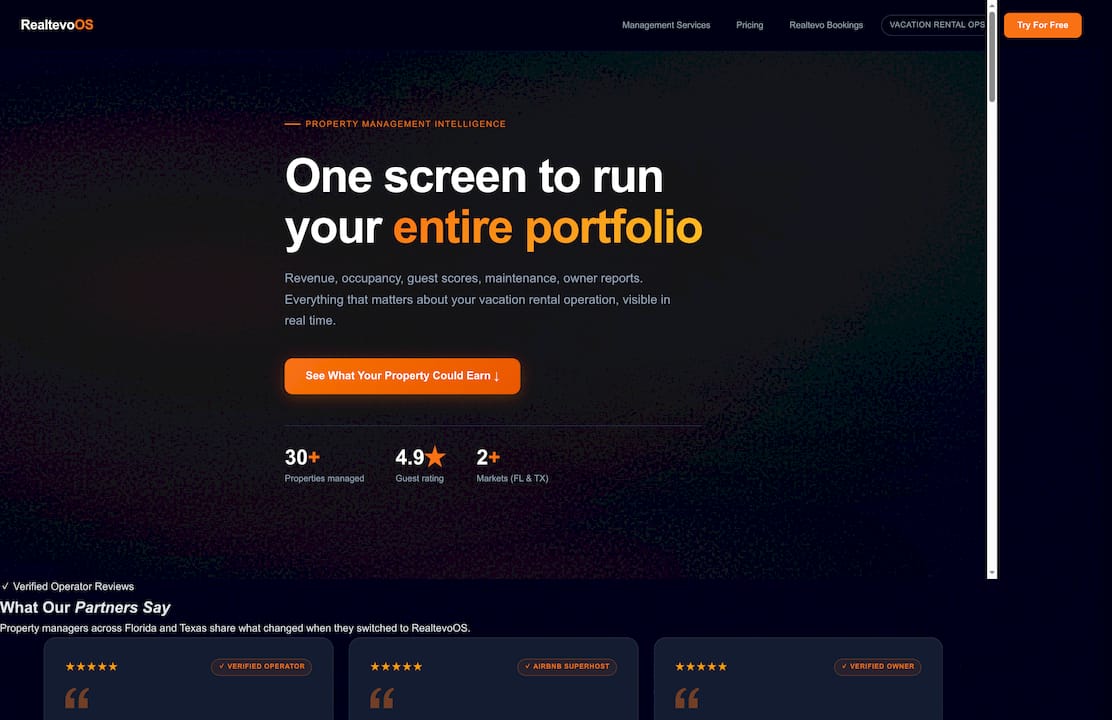
The platform fires event-triggered messages when your PMS changes status, not on a fixed schedule. Conditional templates adapt to arrival time, stay length, and booking source without manual edits. In-stay feedback capture and escalation routing are built in, so a low rating at 9:00 PM reaches the right person immediately. The analytics dashboard tracks SLA adherence, CSAT, and review score lift across your entire portfolio in one view.
Property managers using Realtevoos report saving several hours each week on manual communication tasks while maintaining the response times and personalization that drive higher ratings. See how the command center works and start a free trial today.
Sources and further reading
- Collecting guest feedback at every stage of the journey (without survey fatigue) — SmartSurvey — Use for feedback timing and survey-length guidance (Sections 8, 12).
- Collecting guest feedback in hotels and travel brands — Ybug — Supports in-stay feedback value and three-stage model (Sections 8, 12).
- Guest messaging: a practical guide for hotels and short-term rentals — Akia — Core source for event-triggered messaging, unified inbox, and PMS integration (Sections 1, 4, 6, 8).
- Hotel guest messaging: tips, strategies and tools — Mews — Personalization and stage-based messaging guidance (Sections 3, 7).
- Hotel Guest Feedback: How to Collect It, Read It, and Actually Use It — Vidpops Blog — Mid-stay check-in question phrasing (Section 8).
- Hotel guest communication tips — Cvent Blog — Staff training, feedback culture, and recognition programs (Sections 10, 15).
- What Is the Guest Experience Journey? A 2026 Guide — Bedspot — Guest journey framework and touchpoint mapping (Section 2).
- Exceptional guest experiences require exceptional communication — ILHA — Industry authority on communication standards in hospitality.
- Automate Guest Onboarding Process: 2026 Guide — Realtevoos Blog — Onboarding automation and PMS trigger examples (Section 6).
Recommended
- Switching Property Management Companies: Your 2026 Guide — Realtevo Blog
- Property Management Reporting Examples for Vacation Rentals — Realtevo Blog
- What Is Owner Portal in Property Management: 2026 Guide — Realtevo Blog
- Top 6 Vacation Rental Management Software for teams-app.operto.com alternatives 2026 — Realtevo Blog